DayZ Killfeed for Console

Hulk's Killfeed connects your DayZ server to Discord, giving console server owners a dashboard to manage server settings, automate tasks and review player activity.

Configure Discord feeds, manage zones and factions, schedule server actions and review maps and replays. For your players, provide kill and death feeds, statistics, bounties, a community shop and leaderboards.

Login View features£5.99 per game server / month
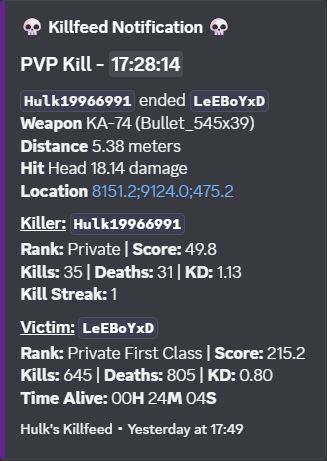
Discord PvP kill notification with weapon, distance, location and player statistics.

Features

Configure each feature to suit your server and choose which Discord channels receive your feeds.

Killfeed

Post kills, deaths and player activity from your DayZ console server to your Discord channels.

  • Detailed killfeed information (Killer, victim, location, weapon, bullet, hit, damage, distance, etc)
  • Rage quit, combat log, spawn kill, respawn tracking
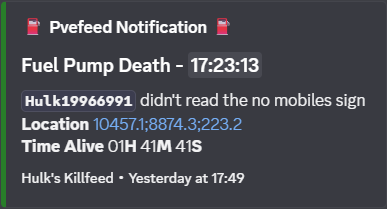
  • All deaths tracked melee, vehicles, zombies, animals, environmental and more

Stats & Leaderboards

Let players view their statistics and compare results across your server.

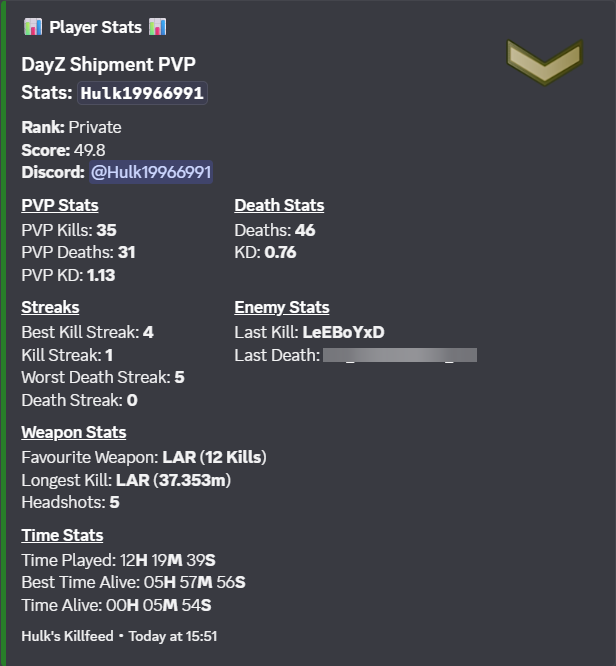
  • 10+ leaderboards (Kills, deaths, KD, longest kill, longest streak, playtime, etc)
  • Player statistics tracking (Kills, deaths, rivals, favoured weapon, longest kill, longest streak, playtime, etc)
  • Automated leaderboard updates

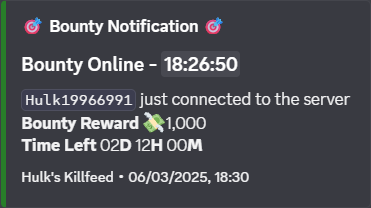
Bounties

Let players place and check bounties, with settings linked to your server economy.

  • Customisable settings (Min, max, track amount, track time, expiry, etc)
  • Faction members cannot claim bounties on each other
  • Auto payouts when linked

Economy & Casino

Manage your server's economy and casino features.

  • Payout commands (Daily, crime, work, etc)
  • Casino games (Roulette, Slots, Blackjack, etc)
  • Configurable economy and casino settings

Shop

Configure your community shop and economy, including items players can purchase and shop events.

  • Configurable items and events
  • Stock and restock settings
  • Admin transaction logs

Factions

Manage your server factions and their settings through the dashboard.

  • Faction management (Leaders, members, role, flags, recruitment, etc)
  • Faction specific commands whereareyou and faction stats
  • Faction bank accounts

Zones

Create and configure server zones using coordinates or custom polygon boundaries.

  • Create radius and polygon zones via commands or an interactive map
  • 30+ configurable zone settings (Pings, bans, payouts, events, etc)
  • Create event zone leaderboards to track stats

Scheduler

Schedule recurring server actions and Discord posts using your preferred time zone.

  • Choose from 40+ schedulable tasks
  • Configurable repeat intervals and timezones
  • Retry mechanism for failed api calls

Maps & Replays

Review player locations and recorded server activity on an interactive map.

  • Recorded events and player movement
  • Event replays
  • Location and PvP heatmaps

Admin Tools

  • Admin alerts (Skywalk, dupe, boosting, undermapping, pc detection, etc)
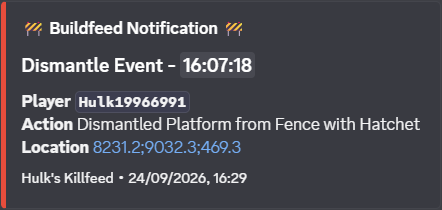
  • Admin feeds (Connections, buildfeed, admin-logs, hitfeed, emotefeed, etc)
  • Nitrado api commands (Ban, whitelist, priority, restart, etc)

Pricing

Subscriptions are charged per game server and managed through the dashboard.

Monthly

£5.99 / month

Per game server, billed monthly.

  • Discord killfeed and activity feeds
  • Bounties, zones and scheduled tasks
  • Maps, replays, factions, shop and leaderboards
  • Web dashboard for server settings
Login to subscribe

Yearly

Coming soon

Yearly subscriptions are not available yet. Pricing and availability will be announced here.

Monthly subscriptions are available in the meantime.

Getting started

You will need a Discord account with permission to manage your community and your Nitrado game server details.

  1. Invite the bot and login

    Invite Hulk's Killfeed to your Discord server, then sign in and select it from the Manage page.

  2. Add your game server and subscribe

    Enter your Nitrado game server details and set up your subscription on the Billing page.

  3. Run /setup

    Run /setup in your Discord server to configure the killfeed.

For help with setup or questions about the service, join our Support Discord (opens in a new tab).

Frequently asked questions

Which platforms are supported?

PlayStation, Xbox and Nintendo Switch 2.

Is the subscription per Discord server or game server?

Each game server needs its own subscription. You manage connected game servers through your Discord server's dashboard.

Is yearly billing available?

Not yet. Monthly billing is available at £5.99 per game server. Yearly billing is coming soon.

Where do I manage my subscription?

You can manage your subscription on the Billing page in your server dashboard.